
Your website, edited in plain words.
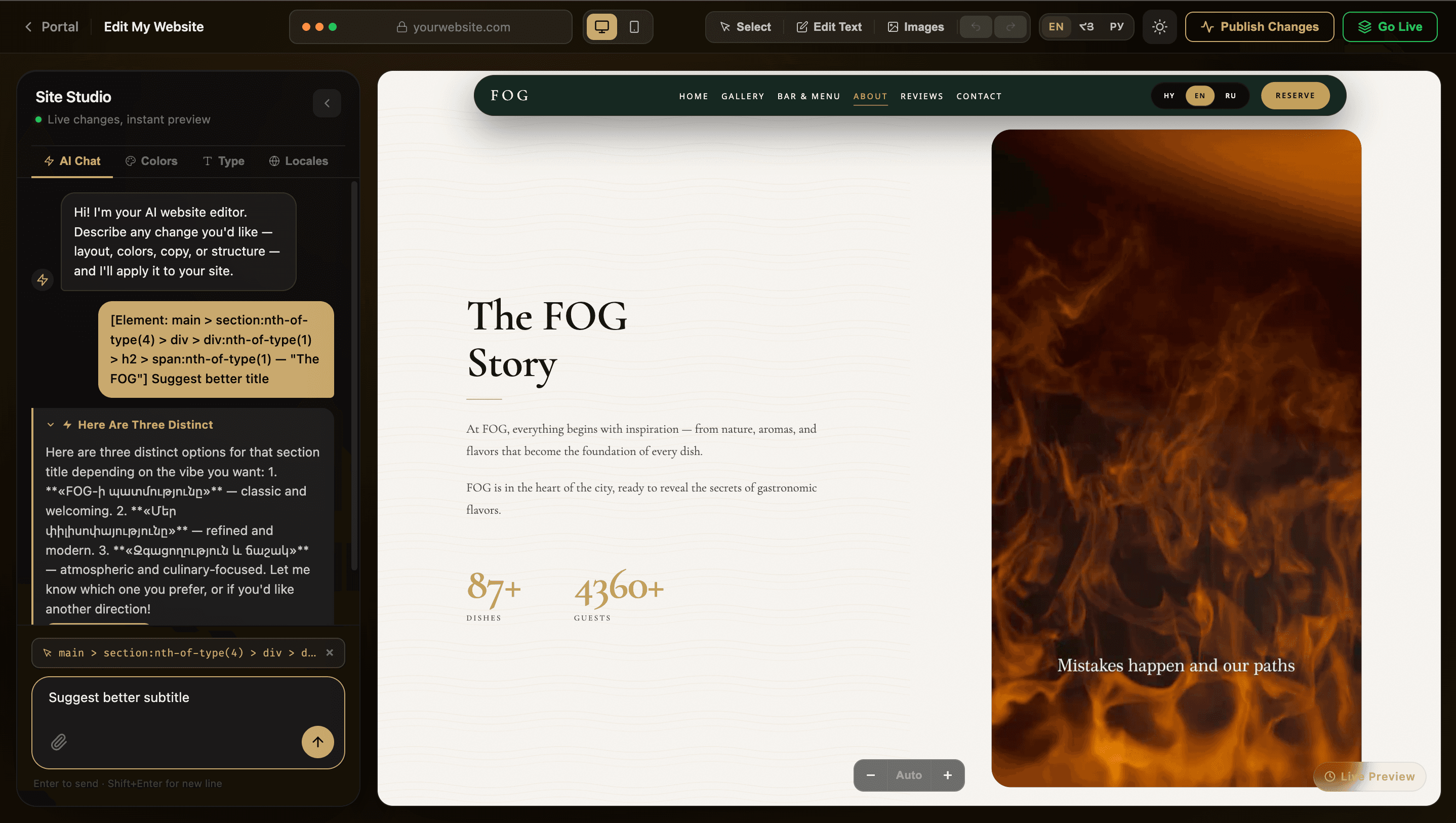
We build your website. The AI Editor is how you keep it current: describe a change in plain words, or click any text, image or color and edit it yourself. No code, and no waiting on a developer.
- 01
Chat with the AI
Tell it what to change — a headline, a color, a photo — in plain English inside the built-in AI Chat, and watch the edit apply right on the page.
- 02
See it instantly
Every change renders live in the preview as it happens, so you are never guessing what a tweak will actually look like.
- 03
Fine-tune by hand
Click straight onto any text, image, color, or font to edit it directly — no settings panel, no menus, no code.
- 04
Preview, then go live
Changes save to a private preview first. Review everything, then publish with one click — visitors see nothing until you do.
Everything on your site, under your control.
The AI Editor is not just a chat box — it is a full toolkit for shaping your live website, no code required. Scroll to see how each piece works.
- 01
AI Chat Assistant
Describe the change you want — "make the hero background gold" or "shorten this paragraph" — and watch it apply live on the page.
‹ Edit My Websiteyourwebsite.comSelectEdit TextImagesPublishGo Live - 02
Click-to-Edit Text
Click straight onto any headline, paragraph, or button label and start typing, with full undo and redo if you change your mind.
‹ Edit My Websiteyourwebsite.comSelectEdit TextImagesPublishGo LiveWelcome to our studioCrafted for your brand
- 03
Swap Any Image
Click a photo or background image anywhere on the page and drop in a replacement — see it in place before you publish.
‹ Edit My Websiteyourwebsite.comSelectEdit TextImagesPublishGo Live - 04
Color Palette
Adjust your site's core colors directly, and the change carries through every element that uses them.
‹ Edit My Websiteyourwebsite.comSelectEdit TextImagesPublishGo LiveBook Now - 05
Typography
Choose a new typeface for headings, body text, or navigation from a curated set of professional fonts.
‹ Edit My Websiteyourwebsite.comSelectEdit TextImagesPublishGo LiveAaAa - 06
Multi-Language Content
Edit the words on your site in every language it supports, without opening a single translation file.
‹ Edit My Websiteyourwebsite.comSelectEdit TextImagesPublishGo LiveWelcomeBienvenueДобро пожаловать - 07
Desktop & Mobile Preview
Switch views while you edit to make sure every change looks right on every screen your visitors use.
‹ Edit My Websiteyourwebsite.comSelectEdit TextImagesPublishGo Live
We build your site. You keep it fresh.
Want to see how easy the AI Editor makes everyday changes to your site?
Book a call